
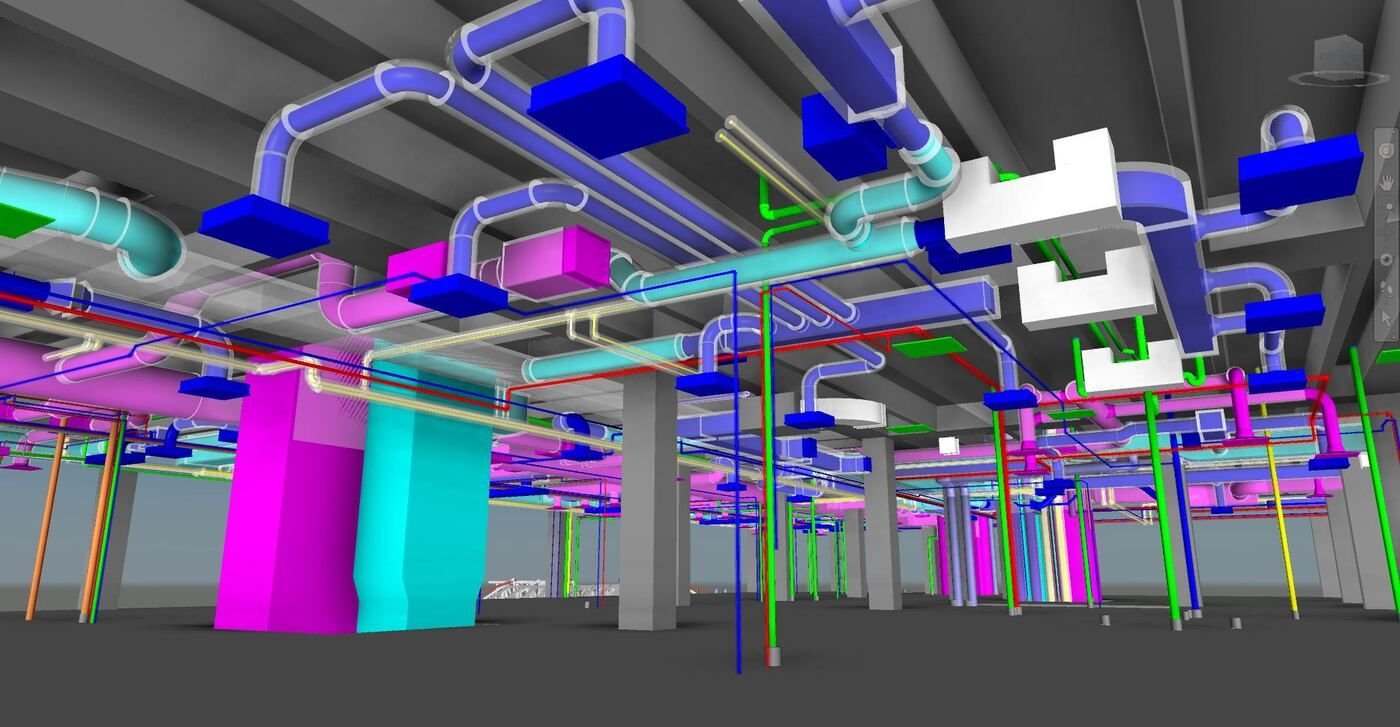
Navisworks
Cross-discipline QA
Issue tracking
Clash Detection Dubai - Catch the clash in the model, not on site
BIM Services Dubai runs architectural, structural and MEP models through Navisworks to find conflicts before issue-for-construction.
Get a project estimate
- Navisworks-based QA
- Clashes logged by discipline
- Tracked to resolution
How coordination runs
-
Federated model review
Architectural, structural and MEP models are combined and checked against each other, not reviewed in isolation.
-
Tracked clash reports
Every conflict is logged with location, discipline and severity so it's assigned and closed, not lost in an email thread.
-
Repeat passes as the model develops
Coordination runs at agreed milestones, not just once at the end when changes are expensive.
How we run a coordination pass
We federate the architectural, structural and MEP models in Navisworks, run automated clash detection between disciplines, then sort results by severity and building zone. Each clash is logged with a screenshot and location, assigned to the responsible discipline, and tracked through to resolution before the set is reissued for construction.
What you receive from a coordination pass
Each clash is logged with a screenshot, location and assigned discipline in a shared report, reviewed together with your team in a coordination meeting, then tracked through to resolution before the model is reissued for construction.
Our Process
A typical coordination cycle
-
Federate the models
Architectural, structural and MEP files are combined into one Navisworks review model.
-
Run clash tests
Automated and visual checks flag hard clashes and tight-clearance conflicts.
-
Log and assign
Each clash is logged with location and assigned to the responsible discipline.
-
Verify and close
Updated models are re-checked until the clash list is closed out.
Coordination questions
At what project stage should coordination start?
As soon as more than one discipline has a model to check - waiting until construction documentation is finished makes every clash more expensive to fix.
Do you coordinate models built by other consultants?
Yes, coordination works across models from any Revit-based consultant team, not only models we've built ourselves.
How is this priced?
As a custom quote scoped to the number of disciplines, model size and how many coordination passes the project needs.
Start your clash detection and coordination project
Send us your current models and we'll scope the coordination work.